
19/10/2026 20:08
From Short Preview to Full Setup: YouTube Related Videos for Cambodian Display-Stand Shops
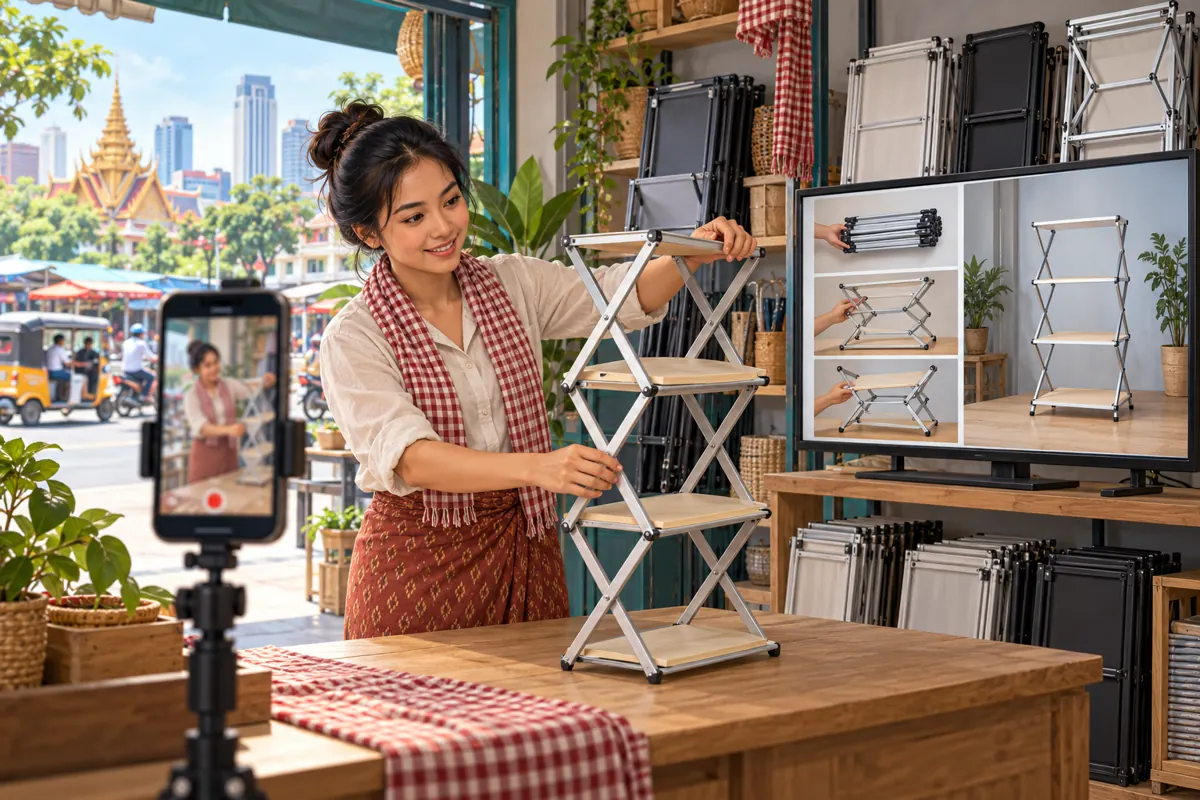
A folding display stand can look convenient in a short clip while leaving a market seller with practical questions. How does it open? Which part holds the shelves in place? How much floor space does it need? For a Cambodian shop selling display equipment, the next useful step may be a complete demonstration that answers those questions. YouTube’s Related video feature provides a way to connect a Short with another video on the same channel. This article explains how to build that connection around a shopper’s decision, check it before promotion, and assess the result without confusing engagement counts with understanding or sales. The shop scenarios below are hypothetical illustrations, not customer results.
1. Choose the question that deserves a second video
Begin with a question that a brief preview cannot answer comfortably. In a hypothetical Phnom Penh display-equipment shop, customers like seeing a stand fold flat but still ask how to open it without missing a locking step. The Short can show the folded and open states. The longer demonstration can show the complete sequence at a pace someone can follow.
Write one sentence connecting the two pieces: “This preview shows how the stand stores; the full demonstration explains opening, securing and folding this model.” That sentence becomes your editorial test. If the proposed destination mainly discusses another product or advertises a sale, it does not fulfil the promise. Select a closer match or make the missing demonstration before directing people onward.
2. Check what Related video can actually connect
YouTube’s official instructions say that a related video can be added after uploading a Short. The feature requires advanced feature access. The selected content must come from your channel, be public or unlisted, and comply with Community Guidelines. Viewers see a clickable link below the channel handle in the Shorts player. The supporting Help page is https://support.google.com/youtube/answer/14075157?hl=en-GB.
Treat this as a route to another piece of YouTube content. Your immediate objective is to help someone continue learning about the stand. Booking, payment and delivery arrangements still need their own clear explanation. Before preparing the Short, check whether the intended channel has the feature and whether the destination is ready for prospective customers to watch.
3. Prepare the full demonstration first
Film the destination around the actual model you sell. Start with a clear view of the complete stand and identify the version using the shop’s ordinary product name. Show the parts included, the opening sequence and the final assembled position. Follow the supplier’s instructions for the physical demonstration, and avoid inventing a weight capacity or suggesting that appearance proves stability.
For Cambodian market sellers, space and transport can be useful topics to address when relevant to the product. Show how you measure its footprint and folded dimensions, keeping the measuring points visible. Explain whether accessories shown are included or separate. If the shop offers delivery, distinguish the demonstration from a delivery quotation: a viewer still needs current availability and an agreed destination before receiving a confirmed offer.
4. Make the Short useful on its own
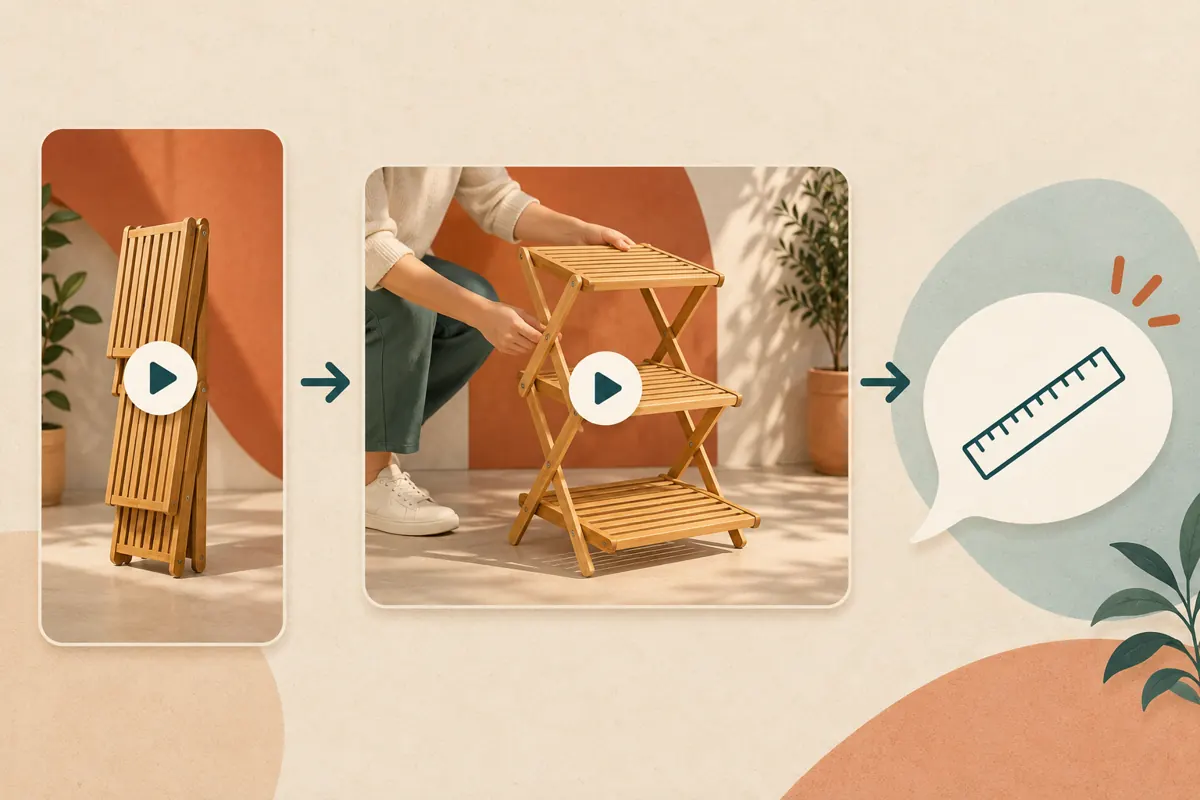
A preview should offer a complete small observation. Show the stand folded, then opened, with enough visual continuity for viewers to recognise the same item. Keep the presenter’s hands and the relevant mechanism visible. A fast transition may make attractive promotional footage, but it cannot demonstrate every movement needed for assembly.
End with a precise invitation such as, “Watch the related setup video for the opening and locking sequence.” Use the language your intended customers understand; a shop serving Khmer-speaking sellers should prepare natural Khmer narration and readable supporting text. Avoid withholding an essential caution solely to encourage another view. Any limitation necessary to interpret the Short belongs in the Short as well as the fuller explanation.
5. Match the product, promise and destination
Place the Short and full demonstration side by side during review. Compare the shelf layout, frame, fittings and included accessories. Similar-looking stock can have different mechanisms. A destination showing an older model may leave the viewer trying to apply the wrong instructions, even when both videos have accurate titles individually.
Then compare the promise with the destination’s opening. If the invitation mentions folding for transport, the longer video should make that topic easy to recognise. Give the destination a descriptive title that identifies the product and task. In the hypothetical shop, “Three-shelf folding stand: opening and packing demonstration” is clearer than “Amazing new arrival.” This is a navigation decision, not a claim about search ranking.
6. Add the connection and test the saved result
For the account owner or authorised editor, YouTube documents this sequence: open YouTube Studio, select Content, open the Short, choose a Related video from the channel, and save. Use the intended demonstration rather than selecting a familiar thumbnail without checking it. Keep the Short’s address and the destination’s address together in the shop’s content notes.
After saving, test the actual viewer journey on a phone. Open the Short in the Shorts player, locate the related-video link and follow it. Confirm that the expected demonstration opens and that its sound, images and product identification are understandable. Ask a colleague to repeat the task without coaching. Record where they hesitate; a successful save alone does not establish that the route is clear.
7. Turn the demonstration into a useful enquiry
Give viewers a manageable next step after they have watched. For the hypothetical stand shop, invite them to provide the model name, available floor space and intended use through the shop’s stated contact route. Request only what staff need to answer the question. Customers should not have to post their phone number or delivery address publicly to learn whether a stand might suit their space.
Prepare a staff response that reflects the video. If someone asks whether the stand fits a narrow stall, first clarify the available width and depth, then compare those measurements with verified product information. Do not treat a viewer’s comment as a reservation. Availability, price, delivery and any order commitment should be confirmed explicitly through the normal sales conversation.

8. Apply a firm SMM-panel decision gate
An SMM-panel catalogue entry does not establish that a service supports this learning journey. The supplied public list includes “YouTube Like ~ Max 5k ~ 5k/days ~ Instant ~ 𝐍𝐎 𝗥𝗘𝗙𝗜𝗟𝗟”. Its name identifies a likes service, but its description is empty. The wording supplies no independently verified evidence about audience location, delivery, customer intent or suitability. Treat the embedded speed and quantity language as catalogue claims.
YouTube prohibits artificial increases in views, likes, comments and other metrics, and says a hired promoter’s actions can affect the channel. Review https://support.google.com/youtube/answer/3399767?hl=en-GB before considering a service. Decline methods that artificially inflate engagement. Purchased engagement is not evidence of Cambodian viewers, genuine interest, advertising delivery, comprehension or sales. For this workflow, spend effort on the demonstration, the connection and genuine customer questions; a panel order is not a required step.
9. Review evidence without inventing attribution
Keep three observations separate: whether the connection works, whether the demonstration answers its stated question, and whether a customer makes an enquiry. A colleague completing the viewing test supports the first observation. Someone accurately explaining the locking step after watching provides limited feedback about clarity. An actual availability request is a different event and belongs in the enquiry record.
Use a simple note for each enquiry: the question asked, the product discussed and any source the customer voluntarily mentions. Someone saying they watched the setup video is useful context, but it does not prove which post first introduced the shop. If views or likes change, describe the change without assigning a cause you cannot establish. Avoid claiming that the related-video connection generated sales merely because both happened during the same week.
10. Maintain the route as stock and demonstrations change
Review the connection when the shop changes the model, replaces its demonstration or notices repeated confusion. A video can remain visually polished while becoming a poor match for current stock. Assign one staff member to compare the preview with the current destination and note the date of the check.
Common mistakes include linking every Short to the newest upload, using a broad shop introduction for a specific assembly question, and leaving an old model connected after its replacement arrives. Another mistake is treating repeated questions as evidence that customers did not pay attention. Watch the relevant passage first: the camera may hide the part, the narration may use an unfamiliar term, or the destination may never answer the promised question. Correct the cause before expanding promotion.

Frequently asked questions
Should the destination be the shop’s most popular video?
Choose it only if it answers the question raised by the Short. Popularity does not establish relevance. A focused demonstration of the exact folding mechanism is a stronger editorial match than a widely watched showroom tour. Review the content itself and consider what someone would reasonably expect after hearing the invitation.
What if the channel cannot add a Related video?
Check the channel’s feature access against YouTube’s current Help guidance. Meanwhile, make the Short understandable on its own and give the full demonstration a distinctive, accurate title that staff can share directly when answering enquiries. Avoid recording an instruction to tap a related-video link until you have confirmed that the link is present.
Can several Shorts lead to the same demonstration?
That can be a sensible editorial plan when each preview raises a question the demonstration actually answers. One preview might show storage and another might show shelf placement. Check the promise of each separately. Do not reuse the destination merely to save time when a different model or task needs its own explanation.
What should staff do when a viewer still asks an assembly question?
Answer the specific question and inspect the relevant passage in the demonstration. Ask which part was unclear without blaming the viewer. If the same issue appears in genuine conversations, consider a clearer close-up or a revised explanation. Keep a brief record of the wording customers use so the next demonstration addresses the uncertainty directly.
Would more purchased likes help prove that the setup video is useful?
No. A purchased like does not show that someone followed the instructions, checked product suitability or intends to buy. Artificial engagement also conflicts with YouTube’s policy. Assess usefulness through direct review and genuine feedback: can viewers identify the model, understand the demonstrated task and ask a relevant follow-up question?
Explore the current service catalogue, create an account, or ask a specific question through support tickets.
Prepared with AI assistance. Illustrations explain the workflow and do not represent customer results.