
20/10/2026 08:47
Was That Question About the Washer? Telegram Topics for Cambodian Tool-Rental Shops

A customer asks whether a hose comes with a pressure washer. Before staff answer, someone posts a floor-polisher photo and another person asks about ladder collection. A reply saying “yes, included” now has several possible meanings. For a Cambodian tool-rental shop promoting different equipment in one Telegram group, this confusion can undermine an otherwise useful demonstration. Group topics offer a way to give each equipment discussion a recognizable home. The practical objective is to help visitors ask clear questions, find relevant answers and move into a private booking conversation when necessary. This workflow also gives SMM panel customers a sensible preparation step: organize the destination before considering any service request.
1. Decide whether topics solve your actual problem
Start by reviewing recent conversations. Look for questions answered against the wrong machine, repeated requests for the same accessory photo, and customers reposting because their first message disappeared among unrelated discussions. These are reasons to consider topics. A quiet group handling one equipment category may work perfectly well without extra navigation. More organization is useful only when customers can understand it.
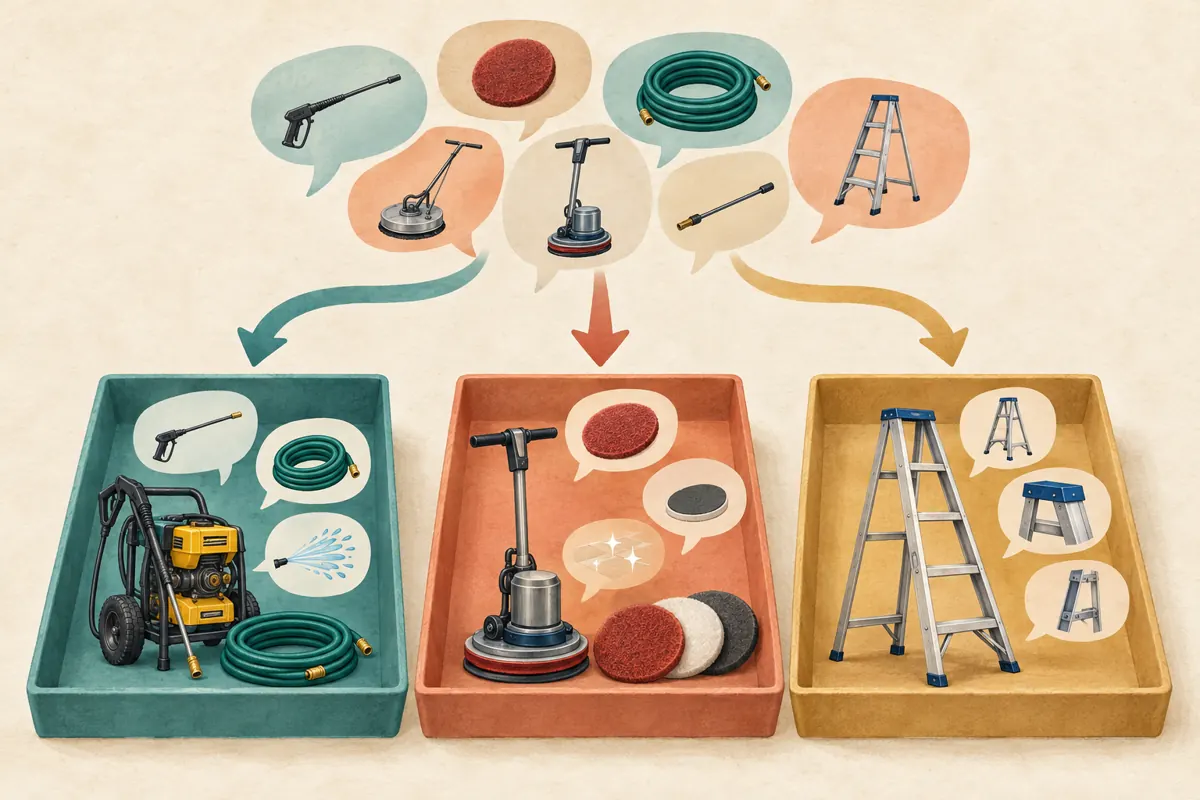
In a hypothetical Phnom Penh rental shop, pressure washers, floor polishers and ladders generate different questions every week. Organizing those discussions by equipment would give customers a predictable starting point. Creating separate topics for every individual machine, however, could leave visitors searching through nearly identical names. Choose the smallest structure that resolves the confusion you actually observe.
2. Enable topics and check the member experience
Telegram’s official June 2025 update states that topics can be enabled in any group through Group Settings > Topics. Its earlier topics guide explains that administrators can control who creates and manages topics through permissions. Begin with an administrator responsible for the structure, and review those permissions before inviting customers to use it. The exact screen arrangement may differ between devices.
After enabling the feature, check the group with a consenting colleague using an ordinary member account. Ask them to find the pressure-washer discussion and post a harmless test question. Telegram supports different topic navigation layouts, so test the actual experience instead of relying on an administrator’s screenshot. Topics organize discussion; do not treat a named topic as a private customer room.
3. Name topics using the equipment customers recognize
Choose names based on how customers describe the machines at your counter. For the hypothetical shop, an initial structure could be Start Here, Pressure Washers, Floor Polishers and Ladders. Put related accessories beside their equipment: hose questions belong with washers, while pad questions belong with polishers. This avoids making customers decide between overlapping categories before they can ask anything.
For customers who primarily read Khmer, use clear Khmer topic names reviewed by a fluent staff member. Add an English equipment term only when it helps identify the product. Keep model codes in individual messages unless they are essential to distinguish categories. An equipment icon can help recognition, but should not carry the whole meaning. Avoid decorative names such as VIP or Hot Deals that reveal little about the conversation inside.
4. Give every equipment topic a useful opening
Prepare a short orientation message for each topic. Explain which equipment belongs there, identify the information staff need to answer a general question, and say where bookings are handled. Telegram’s topics guide confirms that topics support pinned messages, so a concise pinned introduction can provide a stable starting point. Review it whenever your rental offering changes.
A hypothetical pressure-washer introduction might say: “Ask here about our washer models and included accessories. Tell us the model shown in the post and the task you are planning. For a rental request, contact the shop privately with your preferred date.” Follow that with a clearly identified equipment photograph. Avoid asking visitors to publish a delivery address, identity document or payment receipt in the group.
5. Route promotional posts to one clear discussion
Build each promotional post around a question that the relevant topic can answer. A washer demonstration might show which hose and attachments appear with a particular machine. Its closing instruction should identify the Pressure Washers topic and explain what to ask there. A general invitation to “message us for everything” wastes the structure you have just created.
In a hypothetical campaign, the shop posts a short polisher demonstration and invites viewers to ask which listed accessories accompany that model. Staff place the supporting accessory photograph in the Floor Polishers topic and check that the invitation leads visitors to the intended group. If the promotion uses a group link, test it from the visitor’s perspective and name the topic explicitly. Do not assume every shared link opens the exact discussion you intended.
6. Answer the equipment question before discussing availability
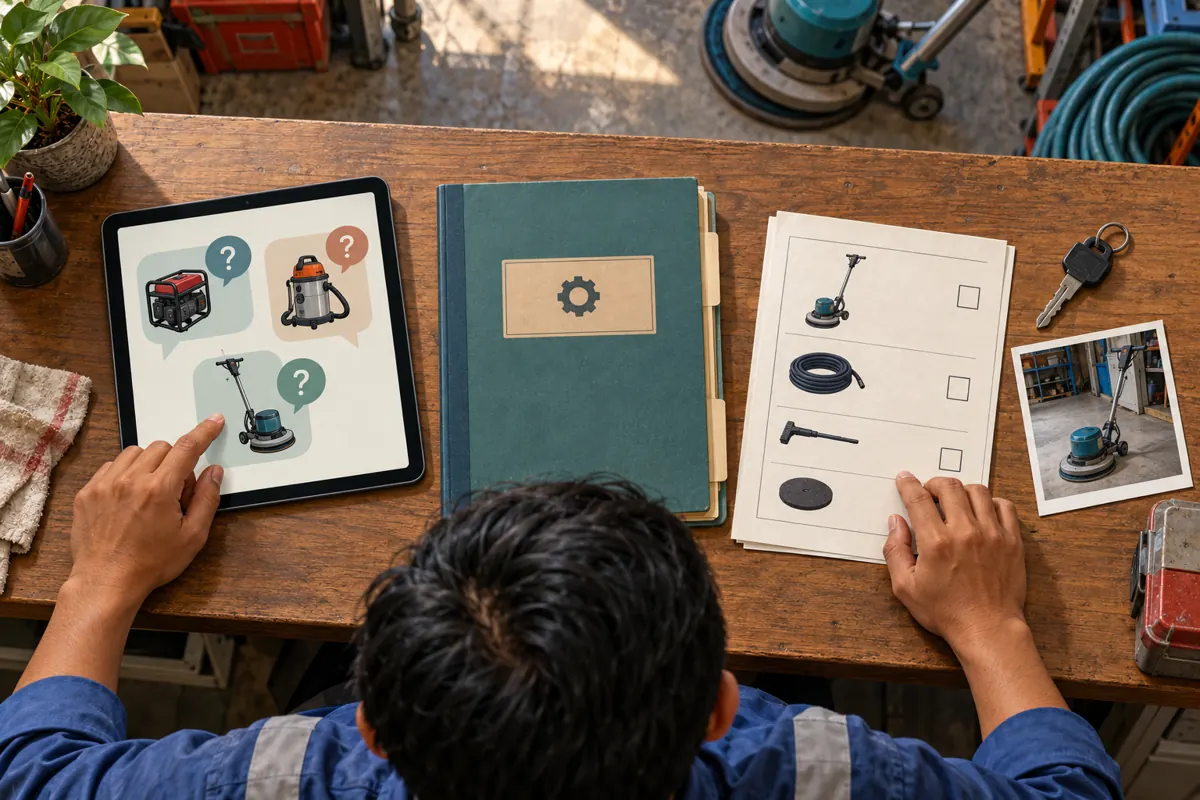
When a visitor asks an ambiguous question, establish the machine first. “Do you mean the washer in the blue-hose photo or the other model?” is more useful than answering immediately. Then distinguish a general product fact from a date-dependent rental fact. An accessory shown in a demonstration does not establish that the same package is available for the customer’s requested day.
Keep answers concrete and limited to information staff have checked. Explain what the pictured package includes, identify any separately supplied item, and direct model-specific operating questions to the appropriate instructions or knowledgeable staff member. Avoid turning casual group advice into an unsupported promise that a machine suits every surface or task. Promotional clarity includes knowing when a question needs an individual assessment.
7. Move booking details into a private conversation
Once a customer wants to rent, provide the shop’s verified contact route and explain the next step. Request the equipment reference, preferred rental dates and pickup or delivery preference privately. Confirm availability against the shop’s own rental record. A public question, a reaction to a demonstration or a message saying “interested” should not reserve equipment automatically.
For example, a hypothetical customer asks whether a polisher is available for Saturday. Staff can acknowledge the request in the equipment topic, then confirm the exact date and package privately. The final confirmation should state the agreed collection arrangements and rental terms. There is usually no reason to publish the customer’s name or booking details back into the topic. A general availability update can stand on its own.

8. Give staff a manageable moderation routine
Assign one staff member to check each active equipment discussion during stated working periods, with a backup for absences. This is an internal responsibility, not an automatic Telegram assignment. Keep a short private list of unanswered questions and unresolved availability checks. Topic organization will not help if everyone assumes another colleague is watching the conversation.
When someone posts in the wrong place, respond politely with the correct topic name and enough context to continue. Avoid copying their entire message elsewhere if it contains personal information. If customers repeatedly choose the wrong topic, review the names before blaming them. A category that makes sense to a stock manager may not make sense to someone renting a machine for the first time.
9. Keep SMM panel decisions separate from group organization
The supplied catalogue includes “Telegram Post Views.” Its name identifies a post-view service type, but the brief supplies no description establishing compatible targets, delivery conditions or audience characteristics. Do not assume it applies to a message inside a group topic. If considering it for a separate promotional post, first establish the accepted destination from current service information. Leave the request unsubmitted if compatibility remains unclear.
Topics do not require purchasing members: Telegram’s current official guidance allows them in groups of any size. Purchased engagement is not evidence of genuine interest, Cambodian users, rental demand, sales or advertising delivery. Keep any panel order reference and delivery record separate from customer enquiries. A larger visible count cannot tell staff which washer a visitor needs, whether a date is available, or whether the group’s navigation makes sense.
10. Review navigation problems and fix common mistakes
After a normal operating week, review whether customers found the correct equipment discussion, whether staff requested missing model details, and whether booking enquiries reached the right person. Record examples without unnecessary customer information. These observations can guide changes to topic names and opening messages. They do not prove that topics alone caused additional rentals, especially when promotions or service orders changed during the same period.
Common mistakes include opening too many topics, using unexplained model codes, treating a topic as confidential, and leaving outdated availability statements pinned. Another is creating an empty group structure and promoting it before staff can answer questions. Correct the immediate issue first: simplify confusing categories, replace stale instructions and clarify who handles enquiries. Add another topic only when a recurring discussion has a clear purpose and someone can maintain it.
Frequently asked questions
Does a small Cambodian rental shop need to add members before enabling topics?
No. Telegram’s official June 2025 announcement says topics can be enabled in any group. The better decision is whether separate discussions will help existing customers. If questions are infrequent and easy to follow, keep the structure simple. Buying members is unnecessary for this feature and does not establish a useful local audience.
Should each customer receive a separate booking topic?
Use a private conversation for individual bookings instead. Topics are discussion areas within a group, so a customer’s name in a topic title should not be treated as access protection. Keep public topics focused on reusable equipment questions, and collect only the information needed to confirm the rental through the shop’s verified private contact.
What should staff do when a question belongs to two equipment categories?
Choose the topic matching the customer’s main task and identify both machines in the answer. For example, someone comparing cleaning options needs a clear explanation of the listed equipment, followed by any necessary individual assessment. Avoid duplicating the entire conversation across topics. If comparisons become frequent, consider a general equipment-choice discussion with a defined scope.
Can Telegram Post Views show whether the topic structure is working?
No. A service delivery record cannot demonstrate that visitors understood the group or found the right equipment discussion. Review actual navigation difficulties, unanswered questions and completed booking conversations separately. Even those observations need context: staff availability, changing stock and other promotions may affect results. Do not present purchased views as customer approval or evidence of Cambodian demand.
What if customers continue asking everything in the starting topic?
Check whether the equipment names are understandable and whether staff have explained where to continue. Offer a friendly direction with the exact topic name, then watch for repeated confusion. If most questions still fit one discussion, your structure may be more complicated than the business needs. Simplify it rather than repeatedly asking customers to learn an unnecessary filing system.
Explore the current service catalogue, create an account, or ask a specific question through support tickets.
- Telegram: Direct Messages for Channels, Voice Trimming, Topic Tabs and HD Photos
- Telegram: Topics in Groups, Collectible Usernames, Voice-to-Text for Video Messages and More
Prepared with AI assistance. Illustrations explain the workflow and do not represent customer results.